> For the complete documentation index, see [llms.txt](https://docs.consuldemocracy.org/use_guide/llms.txt). Markdown versions of documentation pages are available by appending `.md` to page URLs; this page is available as [Markdown](https://docs.consuldemocracy.org/use_guide/spanish-5/guia-de-uso-de-consul-democracy-version-0.16/2.-votaciones.md).
# 2. Votaciones
El módulo de votaciones permite votar propuestas ciudadanas, o cuestiones concretas que se quieran plantear desde la institución.
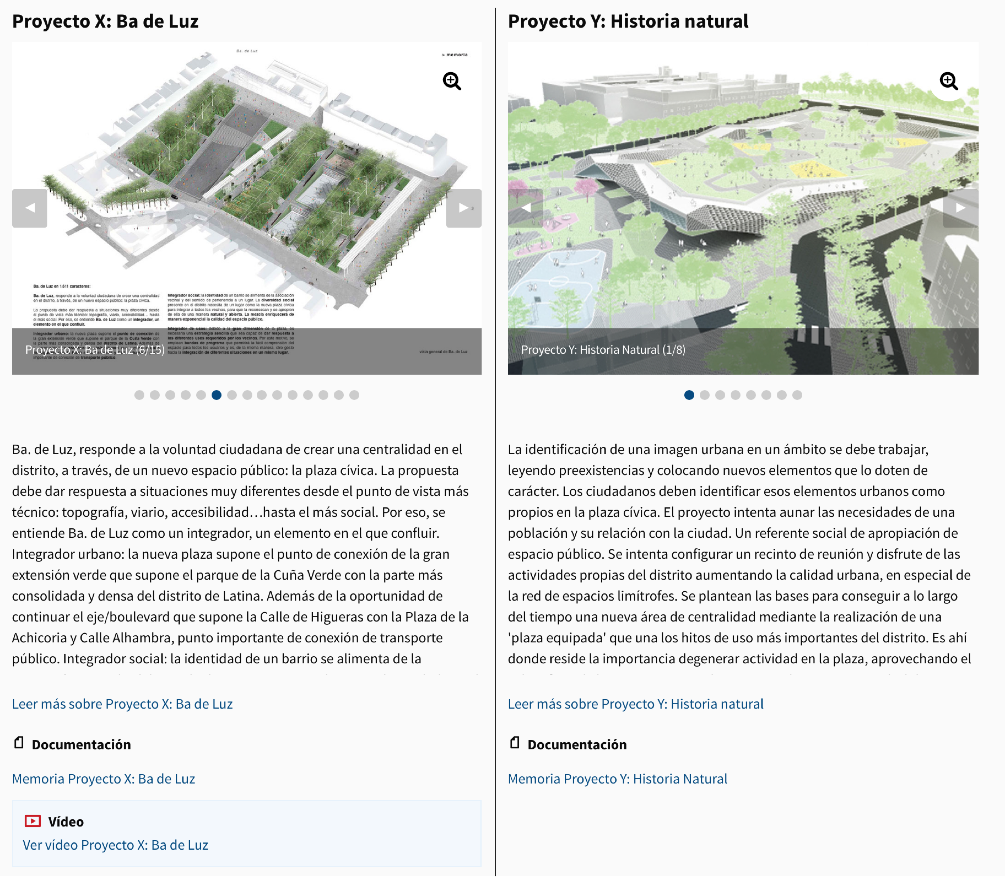
Una de las cuestiones concretas a votar podría ser por ejemplo a remodelación de una plaza. Caso en el que podríamos incluir dos preguntas: Si se quiere remodelar la plaza o no, y cuál de los proyectos finalistas debería ser el seleccionado en caso de remodelación:
Cada una de las opciones a votar puede incluir imágenes, documentación, vídeos, etc.
Las votaciones pueden configurarse para que participen todos los usuarios, o sólo los usuarios de ciertas zonas.